
SansCalc - Cloud-Based SaANS Calculator
FOR ARCHITECTS & BUILDING PROFESSIONALS
For professionals on the go
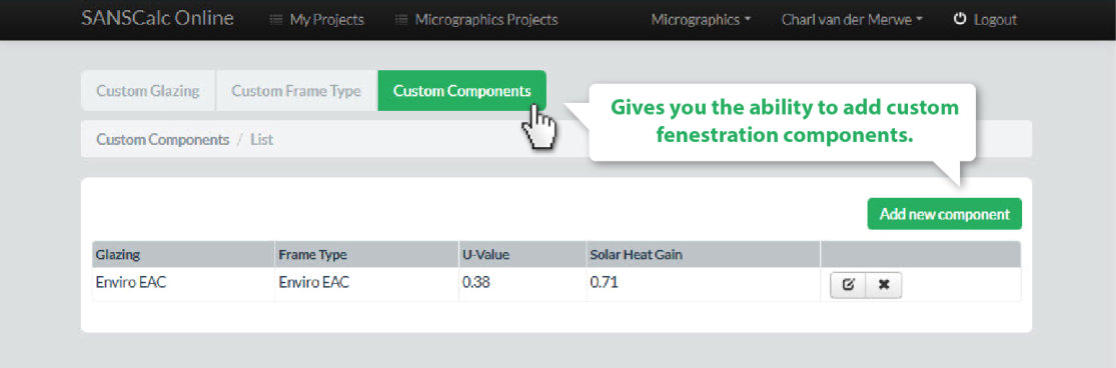
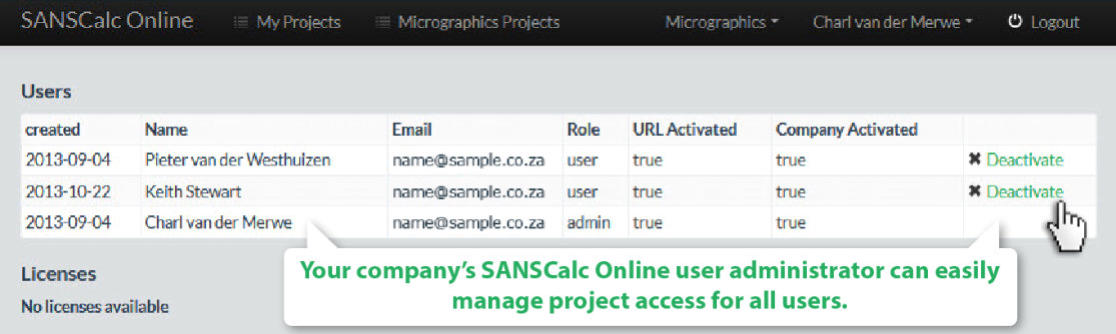
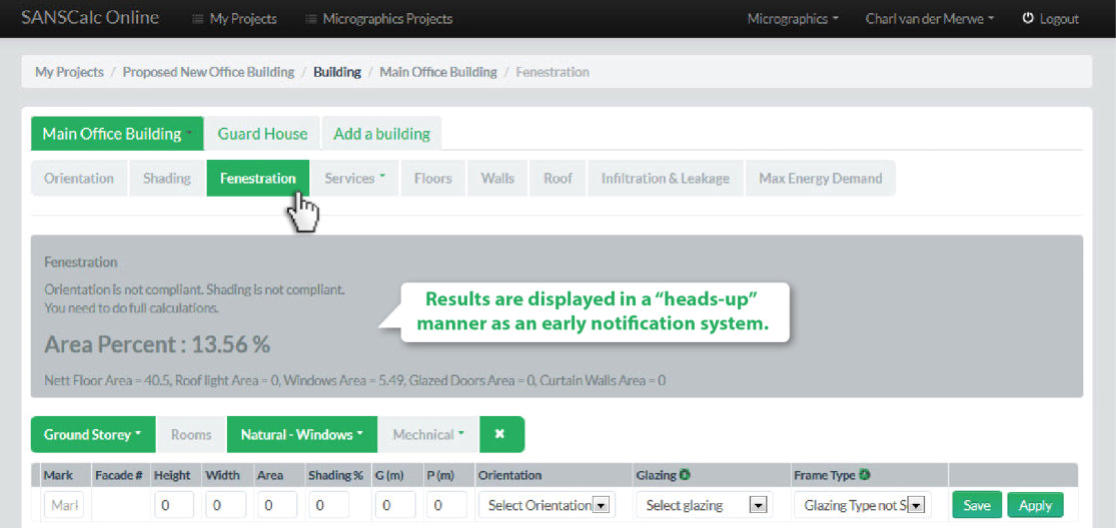
In yet another progressive step to further aid architects, designers, engineers and building technologists to better perform SANS 10400-XA and 204 calculations, we have created SANSCalc Online. Fenestration and other building energy efficiency calculations can now be done from any PC, tablet or device that has internet access. SANSCalc Online allows you to use one software license on many devices without having to download and install the application at all! A username and password is all that stands between you and the full workflow functionality.
Deemed to satisfy fenestration calculations
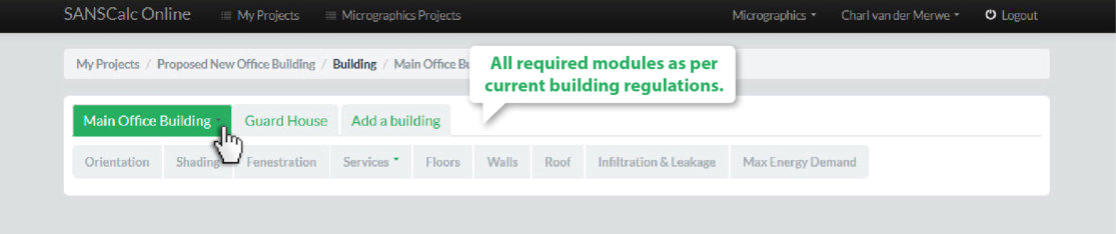
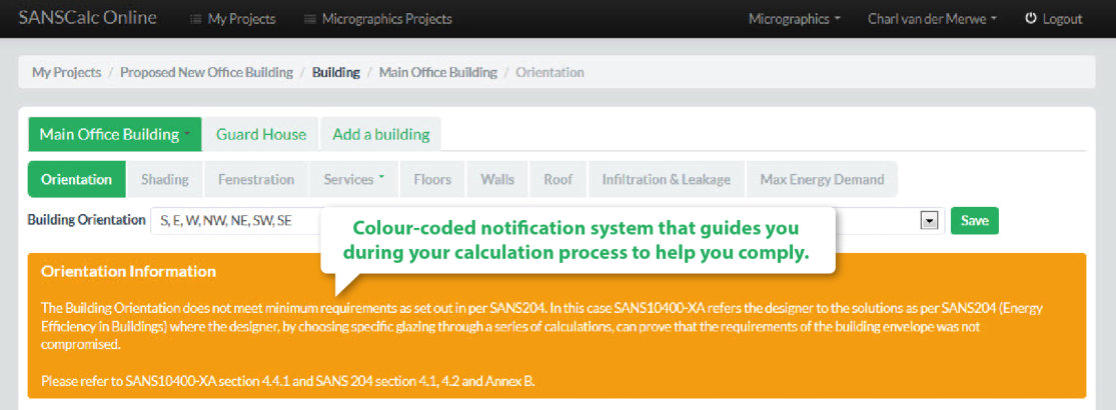
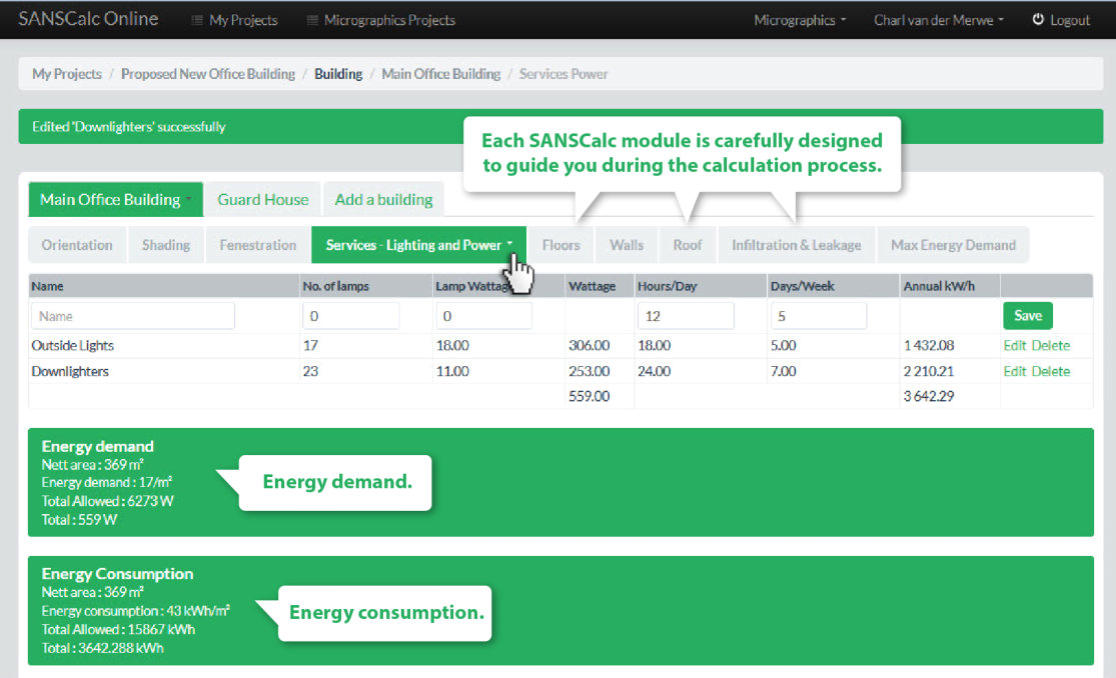
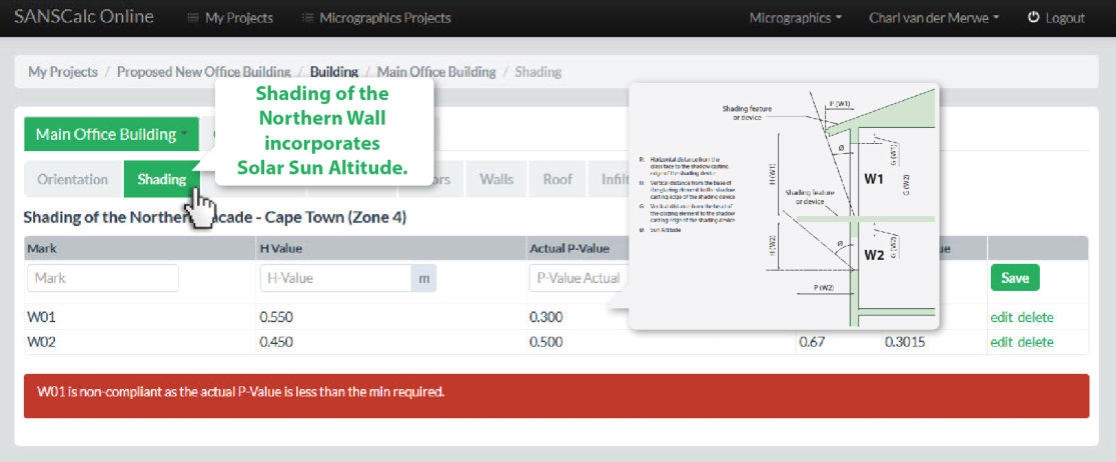
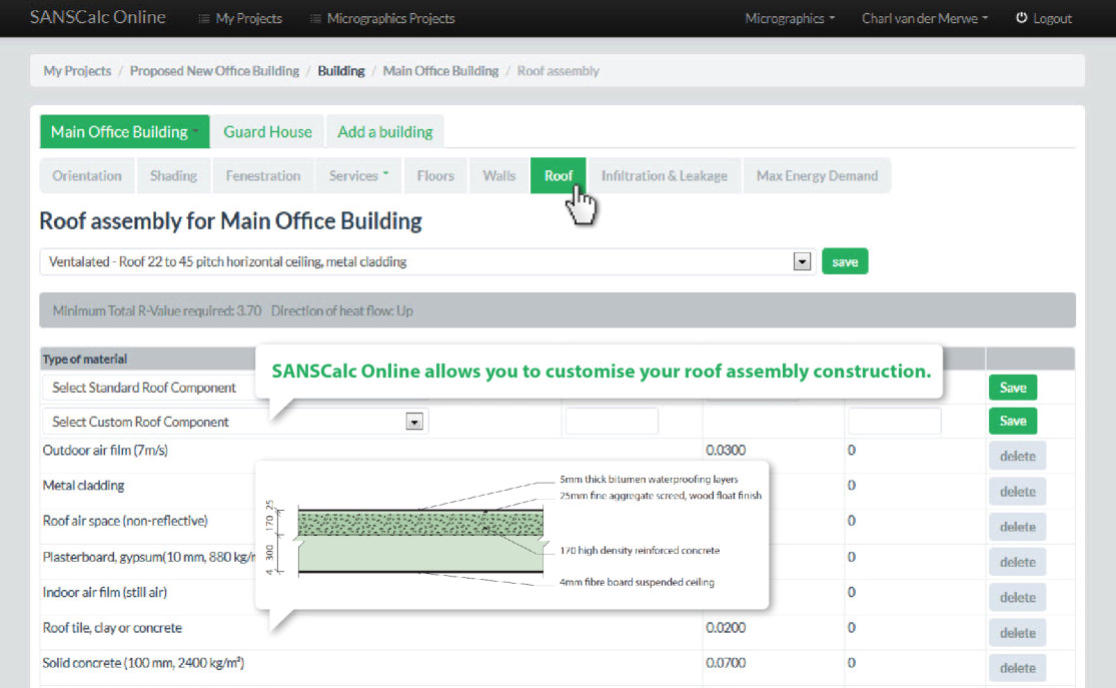
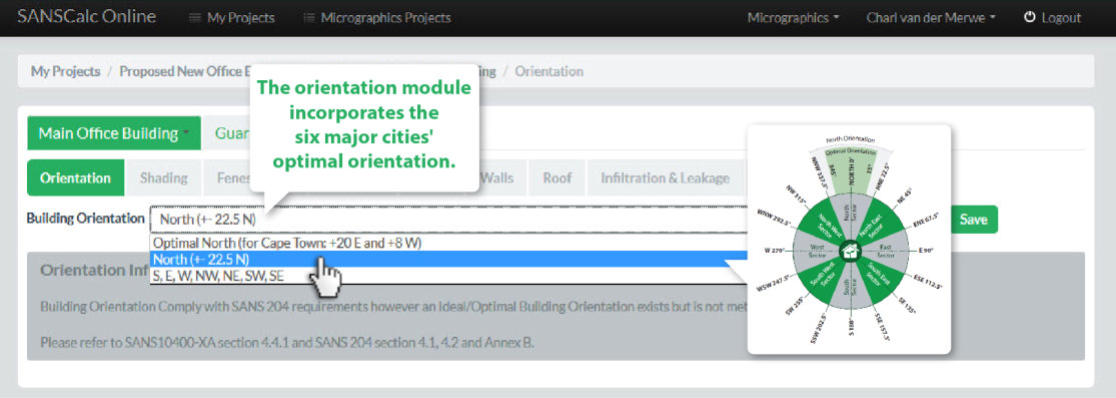
All modules from the SANS 204, SANS 10400-XA Energy Efficiency documents and the SAIAT endorsed XA Guide are included in SANSCalc Online. The reporting system includes the deemed to satisfy fenestration calculations, roof and wall insulation calculations, as well as peak energy demand and annual energy usage of lighting as outlined in the documents.

Online and always available
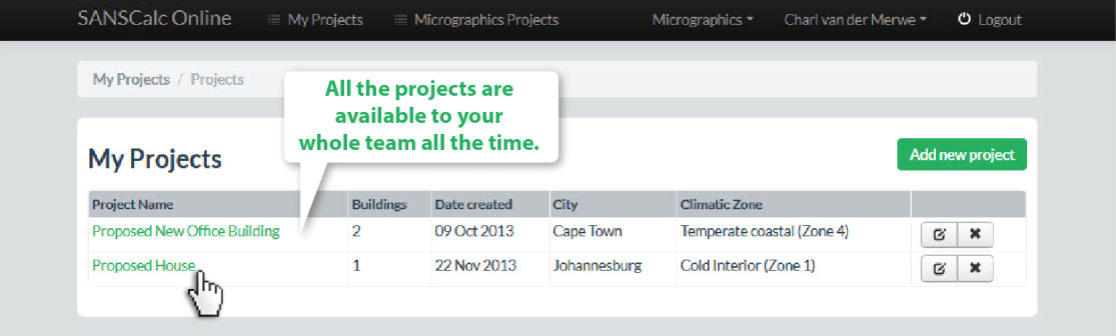
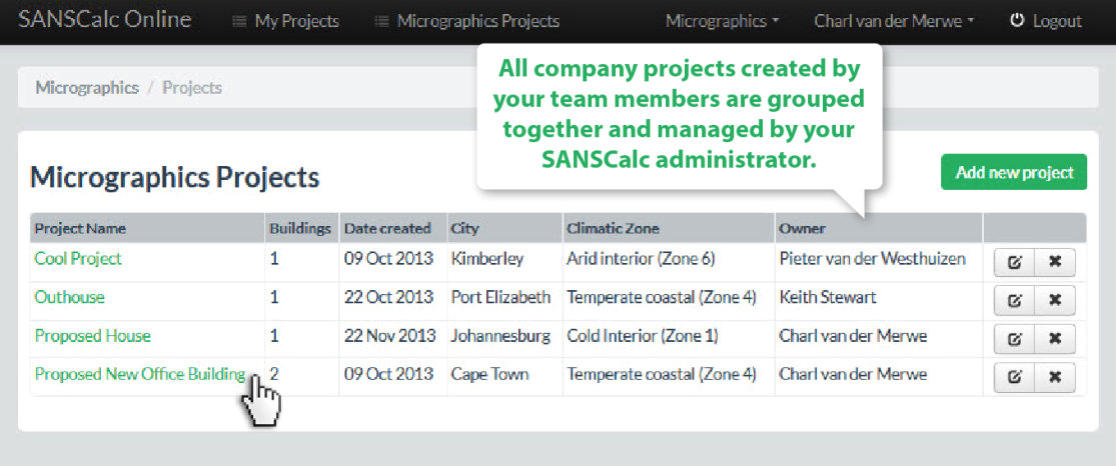
This web application is designed to help you not only perform energy efficiency calculations, but also to generate reports for building plan submission, construction and management purposes. As a result of the program being so flexible, it becomes part of your design workflow, allowing you to open and save your projects as you need them. Maintaining your SANS project’s information has never been easier: It is always online and available to everyone in your company.
Register for a fully functional FREE 15-day trial. No obligations!
SANSCalc Online Pricing
After your 15-day free SANSCalc Online trial has expired, you can buy a one year subscription to continue the use of this convenient fenestration calculator. Please follow these three simple steps to purchase your SANSCalc Online License today. Once you have completed this procedure, your SANSCalc Online Subscription will be activated and fully functional for one year from the date of confirmation. If you have not registered yet, simply click the register button and register for a no-obligation trial.
R52750
Per Single User Per Year
R28750
Per Additional User Per Year
SANSCalc Online Purchasing Procedure
1. Register (Only if you have not registered before)
2. Pay
Micrographics SA (Pty) Ltd | Absa Bank | Newton Park | Cheque Acc No: 4093 847 926 | Branch Code: 632005
Use your SANSCalc Online registered email address as reference
- IMPORTANT: The email address you registered SANSCalc Online with must be used as reference when you make the payment
3. Complete Form

AFFORDABLE
Import from Revit

Complete Report

Cloud Based

Accurate

Ease of Use
SANSCalc Export Revit Add-In
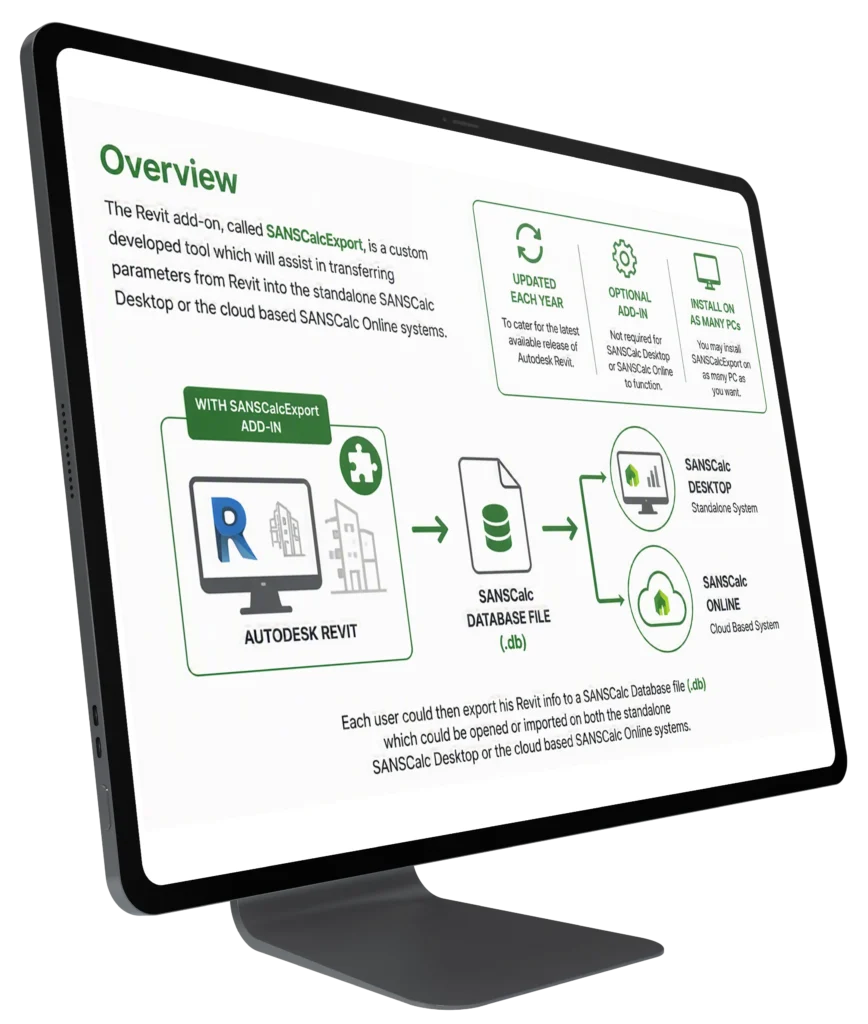
Overview
The Revit add-on, called SANSCalcExport, is a custom developed tool which will assist in transferring parameters from Revit into the standalone SANSCalc Desktop or the cloud based SANSCalc Online systems.SANSCalcExport is updated each year to cater for the latest available release of Autodesk Revit. This add-in is optional and not required for SANSCalc Desktop or SANSCalc Online to function.You may install SANSCalcExport on as many PC as you want. Each user could then export his Revit info to a SANSCalc Database file ( .db ) which could be opened or imported on both the standalone SANSCalc Desktop or the cloud based SANSCalc Online systems.
Points to consider when using the SANSCalc Revit add-in
Please mitre all Revit wall connections. For curved walls and curtain walls mitring might not work and you might need to double check wall lengths between Revit and SANSCalc. SANSCalcExport will add a mark property into each walls’ instance properties for cross reference purposes. Inside Revit you can add a wall tag from the UK library to show the mark property as a tag. Make sure each walls’ exterior face is set to the exterior of the building. Doors and windows are linked to the orientation of walls. Make sure the wall type properties of your external walls are set to “external” and internal walls set to “internal”. Please ensure that all “stacked walls” are converted to “basic walls” before exporting to SANSCalc Desktop. You can do this by selecting the stacked wall then “Right Click” => “Break Up”.
SANSCalcExport Revit Add-In Download Link
SANSCalcExport Revit Add-in installation files
SANSCalcExport Revit Add-In Release Notes
SANSCalcExport Revit Add-In V1.1.7
Merge installation file to cater for side-by-side installation to Revit version 2017-2020
SANSCalcExport Revit Add-In V1.1.6
Update to include window elements that are hosted within In-Place wall families provided that the Function parameter of the In-Place wall family is set to Exterior
SANSCalcExport Revit Add-In V1.1.4
Version specific release for Revit 2017
SANSCalcExport Revit Add-In V1.1.3
Version specific release for Revit 2016
SANSCalcExport Revit Add-In V1.1.2
Added checking mechanism for fenestration elements that are not linked to a level
SANSCalcExport Revit Add-In V1.1.1
Minor Bug fixed on Lighting Wattage export
SANSCalcExport Revit Add-In V1.1
• Revit 2015 Compatible
• Fixed support for special characters in Revit file names.
• Added support for exporting Lighting Fixtures and Wattages from Revit
SANSCalcExport Revit Add-In V1.05
• Compatible with SANSCalc v2.0
• Optimised for exporting large Revit files
• Compatible with Revit 2012-2014
• Bug Fixes
• Curtain wall-length export fix
• Export windows and roofs successfully
SANSCalcExport Revit Add-In V1.0.4
• Fixed – The export tool caused Revit to crash in some cases
• Area does not export properly from Revit in some cases
• The wall mark is not updated and exported in some cases
SANSCalcExport Revit Add-In V1.0.3
• Added an export progress indicator
• Provision for stacked walls